Turn any video into a GIF that actually fits
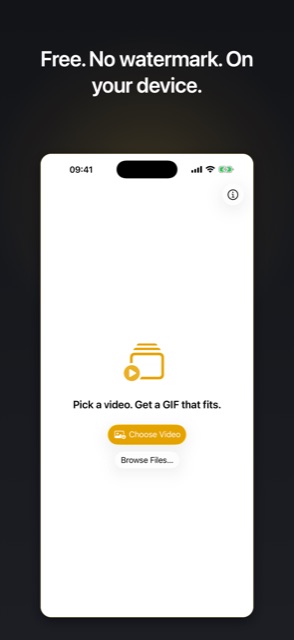
Pick a size limit like 10 MB. The app tunes resolution, frame rate, and color so your GIF lands under it, first try. No guessing at settings, no exporting five times, no file-too-big errors.

On a computer? Scan to install on your iPhone.
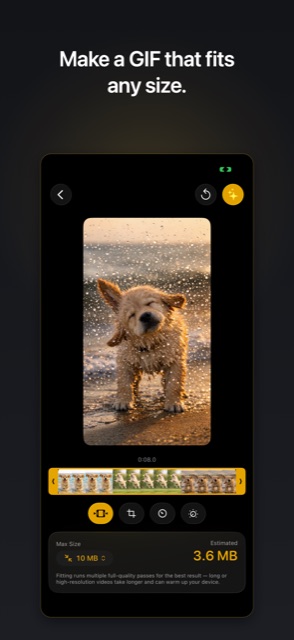
After every conversion the app shows exactly what it adjusted to hit your target.
Pick a max file size. It lands under it, first try.
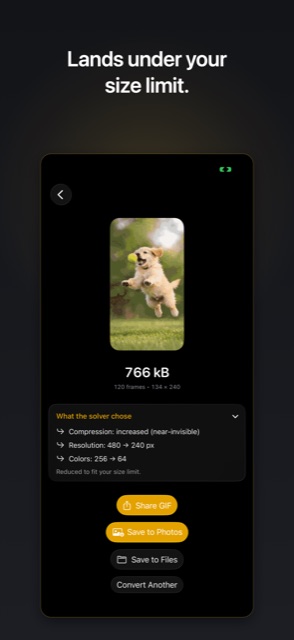
Every platform has a limit and most GIF apps make you find it by trial and error. Here the limit is the input: choose 10, 25, 50, or 100 MB, or type anything down to 0.1 MB.
The app balances resolution, frame rate, colors, and compression to get your GIF under the number, and then tells you what it changed.
Fix a GIF that is too big for Discord, Slack, or email
Discord takes uploads up to 10 MB on a free account, and plays GIFs under 256 KB inline without a tap. Set either number as your target and send a GIF that just works.
Same story for Slack limits, forum attachments, and email: pick the number they allow, get a file that fits.
A complete GIF editor built in
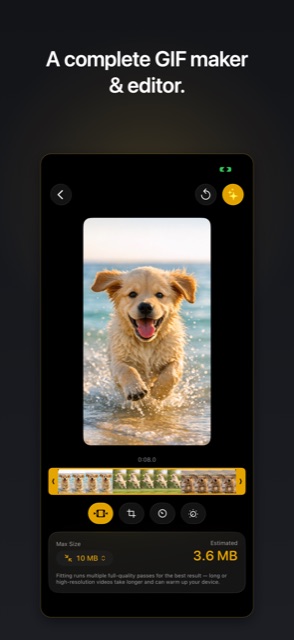
Trim to the exact moment. Crop free or to 1:1, 4:3, 16:9, 9:16. Speed from 0.5x to 5x. Reverse the clip or make a smooth bounce loop.
Dial in frame rate, resolution, colors, and dithering yourself, or let the size limit balance them for you.
100% on-device. Nothing collected.
Your video never leaves your iPhone. The app has no network access at all, so there is nothing to upload, track, or leak. The App Store privacy label reads Data Not Collected because there is nothing to collect.
It also works anywhere: airplane mode, no signal, no wifi.
How it works
Pick a video
Choose from your library, browse Files, or share a video straight from Photos into the app.
Set your size limit
Tap a preset or type your own. Trim, crop, and tune anything else you want.
Convert and share
Get a real animated GIF that fits, save it to Photos or Files, and share it anywhere.
Frequently asked questions
How do I make a GIF small enough for Discord?
Set your size limit before you convert. Discord accepts uploads up to 10 MB on a free account, and GIFs under 256 KB play inline automatically. Pick either number and the app tunes resolution, frame rate, and color so the GIF lands under it on the first export.
Is there a watermark?
No. Every GIF exports clean, with no watermark, no ads, and no account required.
Does it work offline, and is my video private?
Yes. Everything runs on your iPhone. The app has no network access at all and its App Store privacy label is Data Not Collected.
What video formats can I convert?
MP4, MOV, and M4V files with H.264, HEVC, or ProRes video. MKV and WebM are not supported directly; export them to MP4 first.
Why did the app change my quality settings?
When a size limit is set, the app guarantees the GIF lands under it. If your chosen settings would produce a bigger file, it adjusts them just enough to fit and shows you exactly what changed on the result screen.
Why does my GIF arrive as a looping video in some messaging apps?
Several messaging apps convert GIFs to looping videos when you send them. That is how those apps work by design. The file the app creates is a real animated GIF.
Is it really free?
Yes. The app is free on the App Store, with no ads, no account, and no watermark.
Get it free on the App Store
Requires iOS 26. Works on iPhone and iPad.
On a computer? Scan to install on your iPhone.
Already using it? An honest review on the App Store helps a solo developer more than you would think.